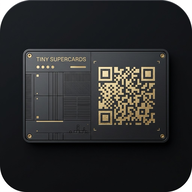
v2.0
Your card, everywhere
SuperCards started as a digital business card. 2.0 makes it your whole identity kit: one set of details, shared as cards, a link in bio, an email signature, call backgrounds, wallpapers and printed cards.
Details once, control per card
- Enter your details once, on one page. Every card is a view of them.
- Choose, per card and per detail, who sees it: hidden, anyone with the link, or only after they connect.
- Phone, messaging and CV start behind Connect, so a shared link never gives away more than you meant.
- A card can use a different value for one detail (a work email on your work card).
- Your salutation (Dr, Prof) is its own field. Show it in your name or leave it out.
- Editing no longer clears your details.
Designs
- Eight designs, in any colour: Obsidian, Light, Banner, Minimal, Pass (like a Wallet pass), Scan (a big QR for events), Company (your logo leads) and Social (like a profile page).
- Every design is the same size, on every screen.
- Drag your photo into place and zoom with buttons. No sliders.
- Add your brand or company logo, use a different one per card, and show it in the card's header.
- One tap makes a logo on a solid background transparent.
- Your past photos are kept in the photo picker, ready to reuse or delete.
Everywhere you show up
- Link in bio: a page of your links at id.gotinylabs.com/you.
- Email signature: copy it into Gmail, Outlook or Apple Mail, with a Save my contact button.
- Link previews: design how your card looks when its link is pasted into a chat.
Brand kit
- Video-call backgrounds for Zoom, Google Meet and Teams, with a QR people can scan off your screen.
- Lock-screen wallpapers at the exact size of popular iPhones, Galaxy and Pixel phones.
- Printed business cards: print-ready PDFs with bleed and crop marks, an A4 sheet to print at home, and a guide to printers in Singapore and abroad.
- Move and resize the parts of each design (drag, arrows, bigger or smaller), with a warning if something sits where it could be cut off or covered. Your choices are saved on each card.
- Google Wallet pass with your QR (switching on soon).
Insights
- See views, saves and connects per card, by day, as a chart and a table.
- Your own visits no longer count.
- Label a day ("spoke at a conference") to see what it did.
Getting around
- Five places in the bar: Today, Connections, Scan, Cards and More. The bar no longer hides.
- Today is where the app opens: bookings coming up and the people you met most recently.
- Connections brings everyone together: Everyone (your contacts) and To meet (your shortlist).
- Insights is now a tab in Cards. Schedule, Settings and What's new are in More, with links to the other TINYLabs apps.
- The SuperCards icon at the top left always takes you home. Pages opened from More have a back arrow.
Everything else
- One look across the app, with a clearer menu on phones.
- Save, Book and Share buttons are the same size, and the Connect button is easier to find.
- Photos are never cut off or hidden behind other parts of a card.
- New home page.